Example email preview
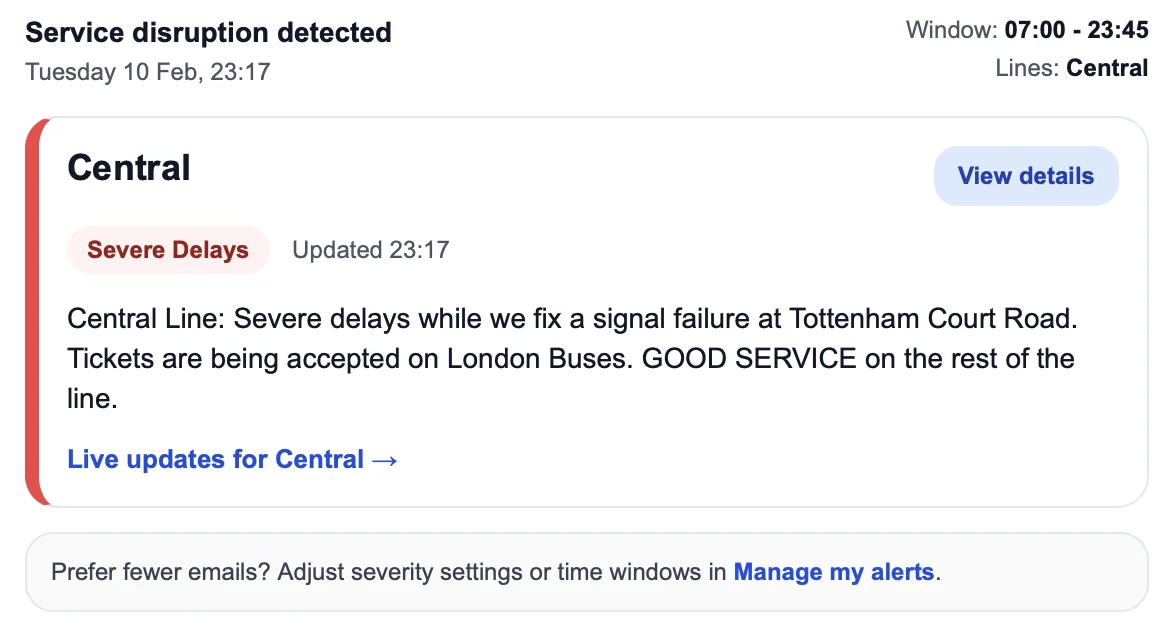
Get alerts by email or push notification, tailored to your commute, travel days, and disruption severity. Covers London Underground, Overground, Elizabeth line, DLR, and Tram.
Tube Alerter has grown from a simple alerts service into a practical transport intelligence hub for London. It brings together personalised disruption alerts, live station information, reliability data, step-free updates, journey tools, and plain-English guides to help people navigate the network with more confidence.
Our view is simple: Londoners should know before they go, rather than only finding out once they are already on their way.
Disruption alerts by email or push notification - no app to download, no account to manage.
We monitor TfL so you don't have to. Status changes hit your inbox in real time.
Only the lines you care about, only when the status changes. Less noise.
One-click unsubscribe from any email, any time.



Choose your lines - Tube, Overground, Elizabeth line, DLR
Multiple time windows - morning commute, evening, or shift patterns
Active days - only the days you travel, skip bank holidays
Severity filter - major disruptions only, or include minor delays
Route filtering - only alerts for your section of the line
Planned closure alerts - upcoming weekend works, route-aware
Station closure alerts - know before you arrive
Optional recovery alerts - notified when service resumes
Step-free access alerts - lift outages at your stations
Email or push notifications
Pause alerts - heading on holiday, resume when you're back
Live status, reliability stats and historical data for every line.